For property agents · Free private pilot
See it.
Select it.
Just Gone.
Clear the clutter from listing photos in a few clicks. Tap what you don't want, and Just Gone removes it while keeping the room as it is.
Free during the pilot. Sign in with Google to request a place.
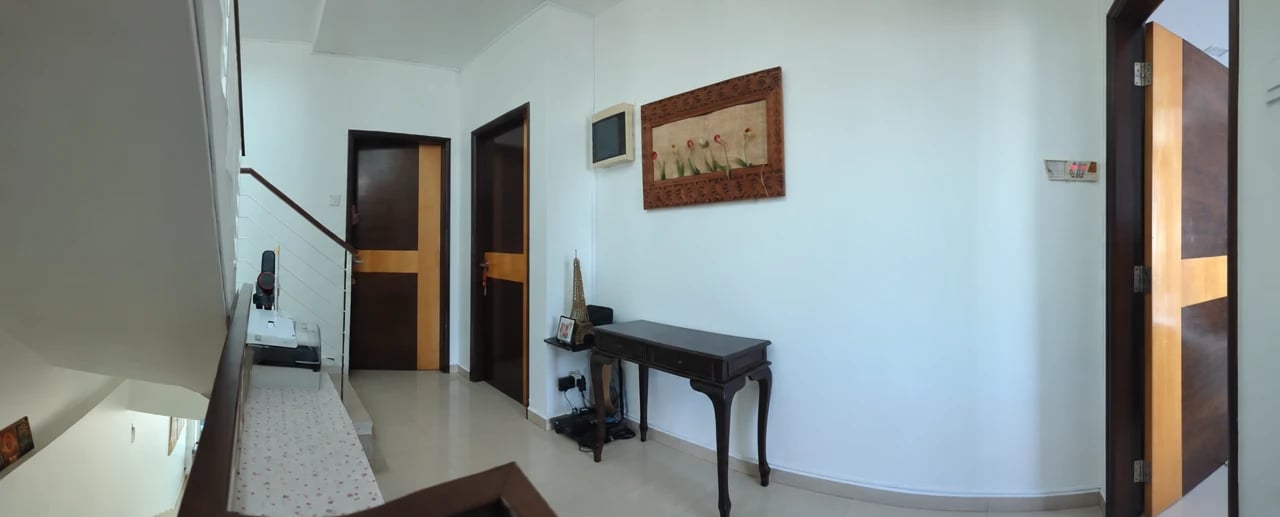
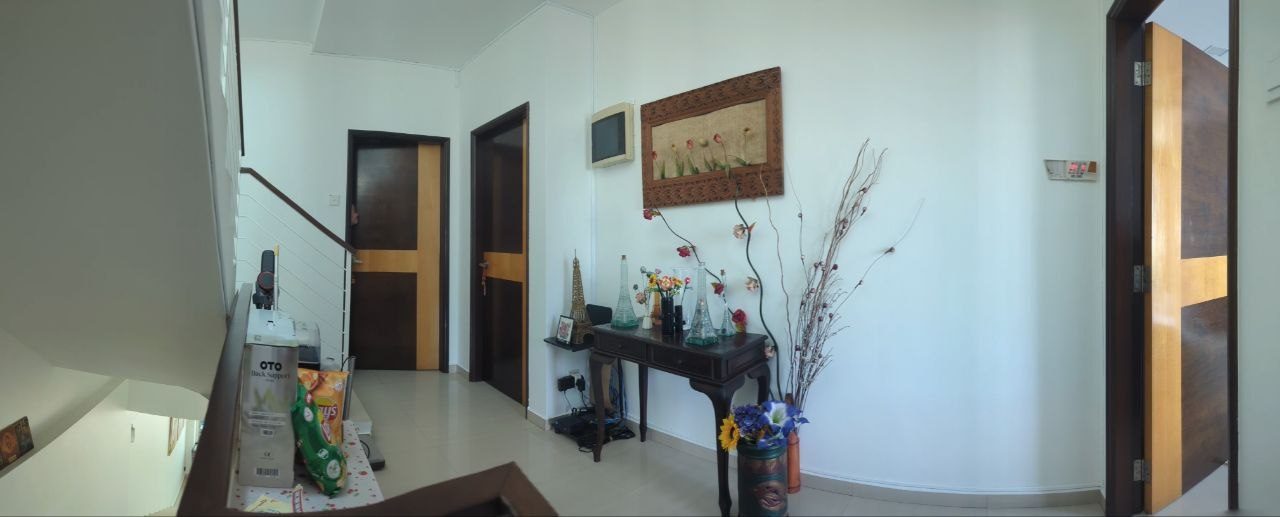 BeforeAfter
Drag across the photo or use the slider (arrow keys on a keyboard). A real Just Gone edit. Boxes, snacks and decorations removed; walls, doors and furniture untouched. Results vary by photo, so always check an edit before you use it.
Four taps. About a minute. Right from your phone.
No editing skills or AI prompts. Upload a photo and Just Gone does the spotting for you.
01
Upload
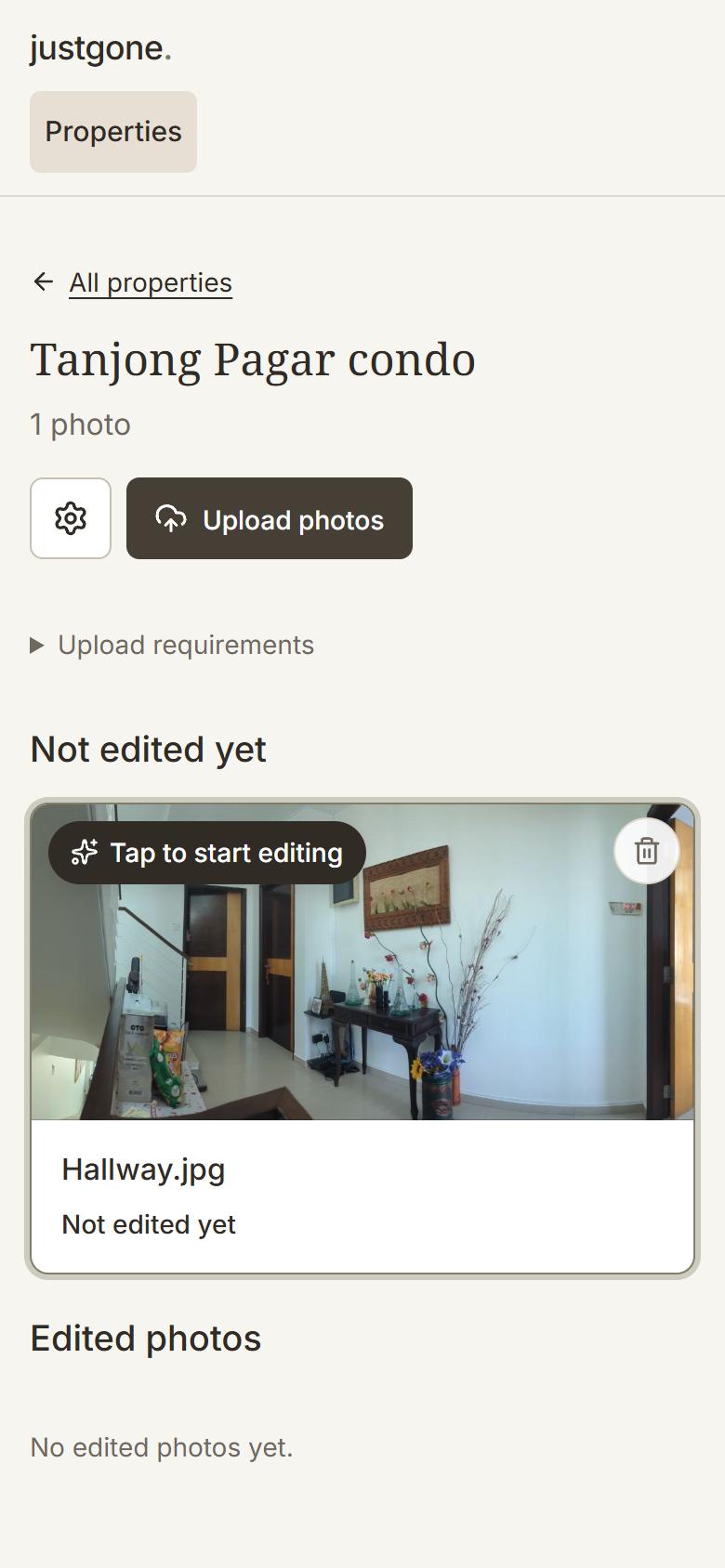
Add listing photos straight from your phone's camera roll, or drag them in on a computer.
02
Clutter found for you
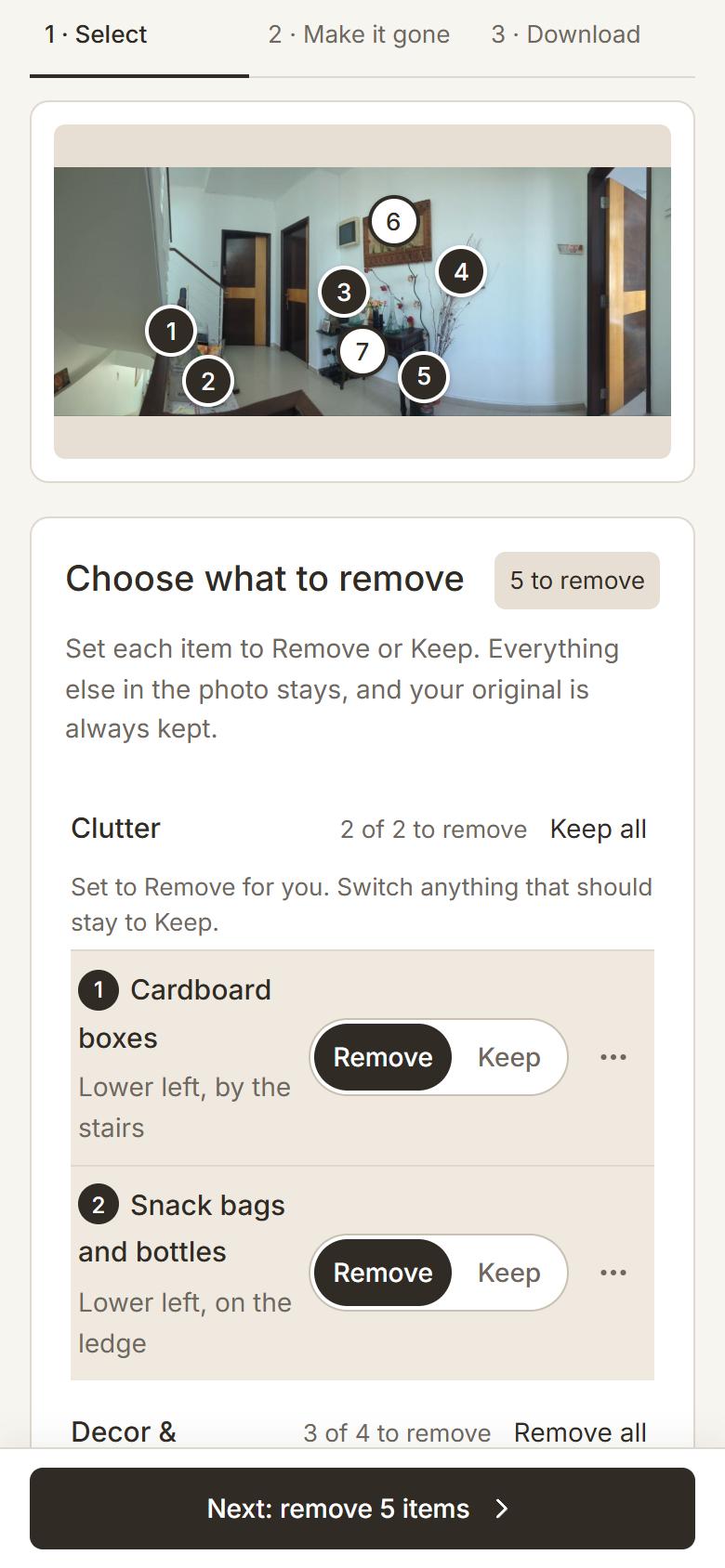
Tap AI detect clutter. Just Gone spots the boxes, bottles and bits that distract from the room and marks each one.
03
You confirm
Everything is set to Remove or Keep. Switch anything you want to keep, then tap Make it gone.
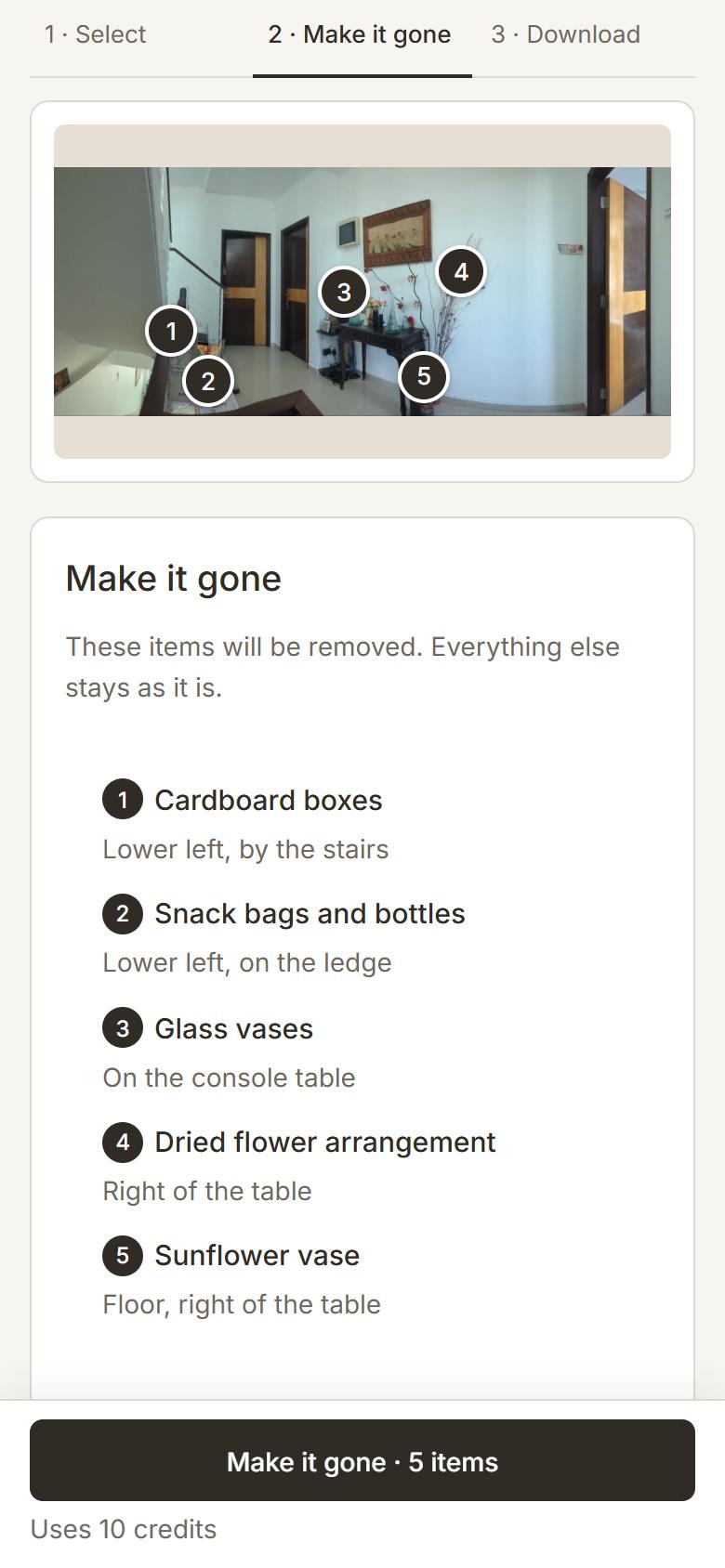
04
Download
Compare before and after, then save the clean photo straight to your phone.
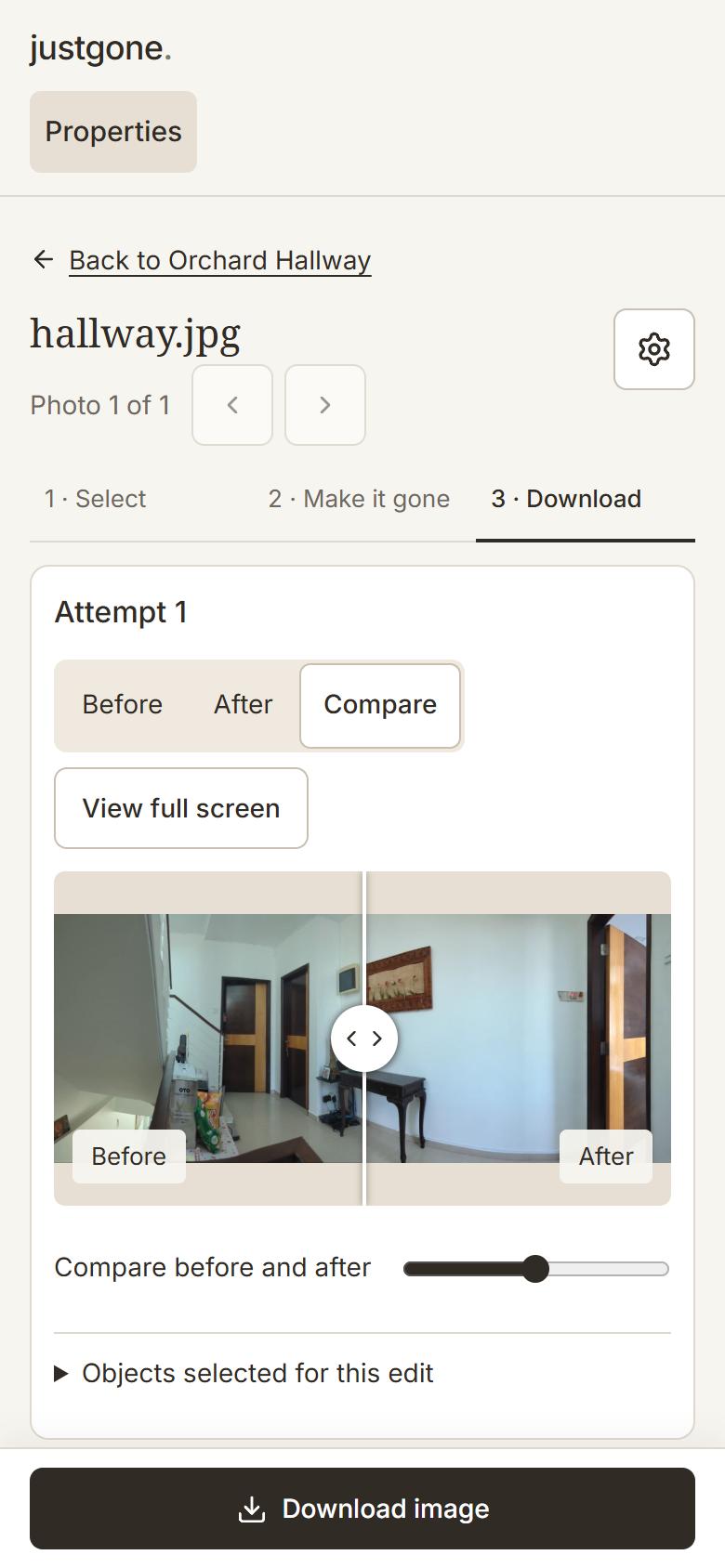
Every edit is made to keep unintended changes to a minimum: walls, floors, furniture, lighting and framing stay as they were. Your original is always kept, so you can compare before you use it.
Screens from the Just Gone app. Results vary by photo, so check every edit before you use it.
Built for listing photos.
Minutes, not hours
No retoucher or editing software. Tidy a whole shoot between viewings.
No prompts, no skills
Point at the objects. Just Gone handles the AI behind the scenes.
The room stays the room
Walls, windows, floors and fixtures stay as they are. Your original is always kept.
Questions
What can Just Gone remove?
Everyday clutter that distracts from the space: bottles, cups, papers, cables, toiletries, laundry, toys, shoes, bags, bins and other loose items. You choose exactly what goes.
Will it change the room itself?
It is designed to keep walls, floors, windows, furniture and fixtures as they are. Your original photo is always kept, so compare the result before you use it.
How much does it cost?
Nothing during the private pilot. Approved accounts receive credits to try it on real listing photos.
How do I get access?
Select Request access and sign in with Google. We review each request, and once yours is approved you sign in with the same Google account.
Are my photos private?
Your photos and edits are kept in your own workspace and are not visible to other users. To create an edit, a photo is sent to our AI image provider for processing.
Can I use edited photos in my listings?
Check your agency's and listing portal's rules first. Some require edited or enhanced photos to be disclosed.